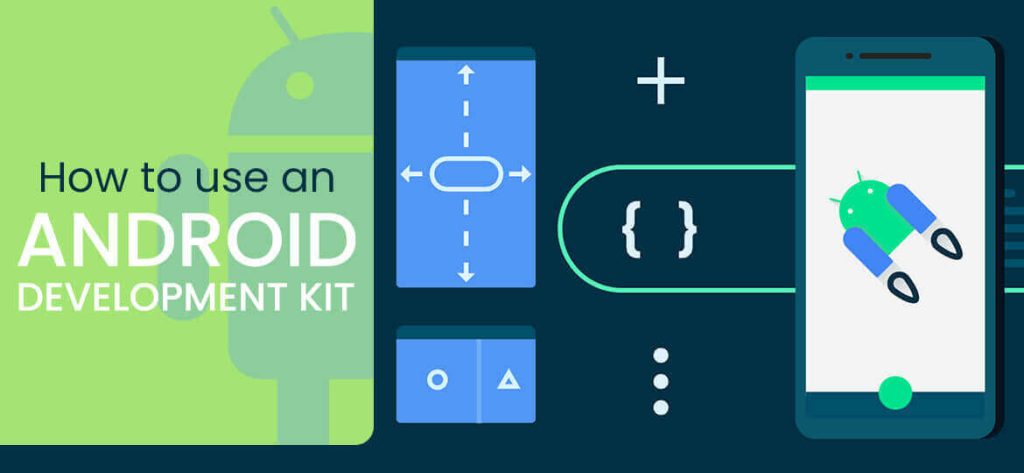
Why Modern Android Development Kits Matter in 2026
Android development has evolved dramatically since the early SDK days. By 2026, the modern Android development stack is centered on Android Studio Hedgehog (or later), Kotlin as the default language (Java is now legacy for new projects), Jetpack Compose for UI (replacing XML layouts), and an expanding library of Jetpack libraries that handle most platform integration work. Apps built with this modern stack ship faster, perform better, and are easier to maintain than the old Android approach.
If you’re learning to use the Android development kit in 2026, the path looks different than it did 5 years ago. The core toolchain you need: Android Studio (the official IDE), the Android SDK (managed through Android Studio), Gradle (the build system), and Kotlin + Jetpack Compose for actually writing the app. Beyond that, Firebase, Room (SQLite ORM), and Hilt (dependency injection) are near-universal in production apps.
This guide walks through using the Android development kit in 2026 — setup, key tools, and the modern development workflow. If you’re building a production Android app and want to skip the learning curve, see our Android app development services.
How to Use the Android Development Kit in 2025 (Complete Guide for USA Businesses)
11 min read · Last updated: May 2026
In this article
- 1. How to Use the Android Development Kit in 2025 (Complete Guide for USA Businesses)
- 2. Introduction
- 3. In 2025, building mobile apps for Android and iOS has become a top priority for businesses in the USA aiming to reach millions of mobile users. Whether you are developing an Android app, iOS app, or cross-platform mobile application, the Android Development Kit (SDK) remains one of the most powerful tools for developers. With the rise of AI-powered apps, 5G mobile technology, cloud-based apps, and mobile-first digital transformation, having the right development environment is critical for success.
- 4. Why Android App Development Still Matters in 2025
- 5. Android continues to dominate the USA mobile market share with its flexibility, affordability, and large user base. Businesses prefer Android because:
Introduction
In 2025, building mobile apps for Android and iOS has become a top priority for businesses in the USA aiming to reach millions of mobile users. Whether you are developing an Android app, iOS app, or cross-platform mobile application, the Android Development Kit (SDK) remains one of the most powerful tools for developers. With the rise of AI-powered apps, 5G mobile technology, cloud-based apps, and mobile-first digital transformation, having the right development environment is critical for success.
Why Android App Development Still Matters in 2025
Android continues to dominate the USA mobile market share with its flexibility, affordability, and large user base. Businesses prefer Android because:
Android app development allows custom solutions for startups and enterprises.
Cross-platform app development frameworks like Flutter, React Native, and Kotlin Multiplatform help create apps for both Android and iOS simultaneously.
Mobile-first indexing, mobile app SEO, and app store optimization (ASO) play a major role in app discoverability in the USA.
USA businesses are increasingly investing in enterprise mobility solutions, healthcare apps, eCommerce apps, fintech apps, and on-demand delivery apps built on Android.
Setting Up the Android Development Kit in 2025
To build a modern Android app:
Install Android Studio 2025 version with full support for Java, Kotlin, and Jetpack Compose.
Ensure your system has at least 16GB RAM, SSD storage, and updated JDK (Java Development Kit 11 or above).
Download essential SDK components including build-tools, platform-tools, Android emulators, and Android Debug Bridge (ADB).
Use Google Firebase, cloud integration, and mobile app testing tools for better scalability and performance.
Popular USA-Based Use Cases of Android Apps in 2025
E-commerce apps USA (retail, grocery delivery, Amazon-style apps).
Healthcare mobile apps USA (telemedicine, patient management, wearable integration).
Fintech apps in USA (banking, stock trading, cryptocurrency wallets).
On-demand delivery apps USA (food delivery apps like DoorDash, ride-sharing apps like Uber).
Education mobile apps USA (online learning platforms, AR/VR classrooms).
Enterprise apps USA (employee management, CRM, ERP mobile integration).
2025 Trends in Mobile App Development
The mobile app industry in USA is transforming with:
AI-powered apps and machine learning integration for personalization.
5G-enabled apps with faster real-time communication.
Cross-platform development frameworks saving time and cost.
Mobile wallet integration and fintech apps gaining popularity.
Voice search optimization in apps for better accessibility.
Mobile app marketing and SEO strategies driving downloads and visibility.
Best Practices for Android App Development in 2025
Use mobile-first design principles with responsive UI.
Optimize app performance with Core Web Vitals for mobile apps (fast loading, smooth navigation).
Follow Google Play Store guidelines USA for compliance and visibility.
Integrate mobile app SEO keywords like “Android apps USA,” “iOS app development company USA,” and “mobile app developers USA.”
Apply E-E-A-T principles by showcasing developer expertise, verified reviews, and transparent privacy policies.
Conclusion
In 2025, Android Development Kit (SDK) continues to empower businesses in the USA to build innovative, secure, and scalable mobile apps. Whether you’re creating an Android app, iOS app, or hybrid mobile app, combining modern app development tools with AI, cloud computing, and mobile-first strategies ensures long-term success. Companies that invest in Android app development USA will continue to dominate in industries like healthcare, fintech, eCommerce, and enterprise mobility.
Using the Android development kit is highly essential if you want to develop an Android app. Android OS is built upon the Linux kernel and runs on most of the smartphones and tabs. Related: Android app development services.
The latest version is Android 7 Nougat, which will gradually become available for more and more devices over the coming months.
Marshmallow is 6.x, Lollipop is 5.x, and KitKat is version 4.4.x, with 4.3, 4.2 and 4.1 all coming under the codename name Jelly Bean.
Android platform is based on Linux with a set of core C/C+ + libraries. Android apps are written in Java and run on Android’s own Java virtual machine known as Dalvik Virtual Machine. Related: hire dedicated Android developers.
This DVM is optimized to work on mobile phones. Before you begin the development of the app, there are software, tools and development packages that must be properly installed.
Your computer requirements must be fully met in order to get the kit install. Knowing about android app development kit can be really helpful following the android app development steps for beginners.
Installing The Android Development Kit
Installing required software for Android takes almost 30 to 60 minutes depending upon network downloading speed. There must be 5 to 10 GB free disk space in the computer to make sure it gets enough space.
Its time to install Android Studio which is IDE based on popular Java IDE and SDK libraries. Related: mobile app development.
Java Development Kit:
First of all, install JDK or Java Development Kit
- It should be above 1.7 or at least 1.7. It will take a lot of time to install completely. When it is done, you are ready to go ahead.
- First, see system requirements for Android Studio. Now download Android Studio for Windows.
- Run download installer and follow instructions appearing on the screen. Accept the defaults. Installation is complete. There should be 5 GB or more disk space.
- Android Studio is installed in C drive.
- SDK Packages
- Add a few basic SDK packages to run the apps. Adding lots of SDK packages is quite time-consuming. Images also take huge disk space which is above 10 GB per API level.
- But you can also go for a small set of SDK packages. You can also copy SDK instead of downloading it during the installation process.
- Also Read:
- Single-Page Application vs Multi-Page Applicatio
- For Windows, follow these steps :
- Launch Android Studio and check ‘I do not have the previous version of Android Studio’.The setup wizard will download more SDK file components.Let it complete. Click Finish.Now select Configure, SDK manager, SDK tools. Check Android Support Library, Intel x86 Emulator Accelerator, and Google USB Driver.
- Finally > Apply.
- Launch Android Studio. It will download more SDK components.
- Let it complete then click Finish. Select Configure, SDK Manager.
- If there is an error, copy SDK location ‘Users/…LibraryAndroid/SDK’ and select Configure, Project defaults, project structure in Android SDK Location. Paste here.
- Select Configure, SDK Manager, Launch Standalone SDK Manager.
- Click Deselect All or it will take several hours to finish the installation of all packages.
- Check these packages are ‘installed’ or check them to get installed.
- In Tools screen, Android SDK tools, the Android SDK platform-tools, Android SK Build-tools (highest version).
- For Android 6.0 check SDK platform, System Image.
- And for Extras see these options: Android Studio Library, Google Repository, Intelx86 Emulator Accelerator.
- Click ‘Install n packages’.
- SDK will install under “~/Library/Android/SDK”. This procedure is for Mac OS.
- Opening SDK Manager
- To open SDK manager, drag Android executable into terminal Window. Click Enter.
- When it is open, make sure to install these packages and other relevant ones:
- The platform, Build, The Android Debugging Bridge.
- Tools work with Platform but can also be updated separately if required. These are JOBB, ProGuard, and zipalign.
- JOBB helps create encrypted and unencrypted APK expansions in OBB format. ProGuard removes unnecessary items from the app and renames classes.
- SDK tools are used regardless of the Android version supported. These are build-tools, image tools, debugging-tools, and some others. Android Debugging Bridge (ADB) and fast boost are also important if the device is stuck somewhere.
- Facebook issued to wipe partitions if something occurs. The procedure is simple in adroid development kit.
- ADB can be used for troubleshooting purposes with devices and apps.
- Because Android is a Linux-based OS, the only way to obtain is the command-line.
- Manipulate root access is required to perform advanced operations on the device with the help of root access.
- These things are possible on the device using a terminal emulator.
- It is tough to execute complex commands like smaller screens.
- ADB works like the bridge between your computer and phone.
- When all of these are completely installed, you are ready to begin developing the app.
- Basic Steps To Start Building App Using Android App Development Kit
- Step 1 : Start with Android Studio
- The most common IDE for developing Android is Android Studio, that comes directly from Google itself.
- The amazing thing is that Android Studio is designed specifically for application development services for Android.
- Step 2 : Installing the Java Development Kit (JDK)
- After the installation of Android Studio, it’s time for more positive action! You also need to install Java on your machine to use Android Studio.
- The JDK is able to interpret and compile the code for application development.
- Step 3 : Start your project
- Choose ‘Start a new Android Project study’ option. Enter the name you want for your application and its ‘business domain’.
- All these elements will be used to create the package name in a format like:
- This APK ( ‘Android package file’) is charged at the end to the Google Play store.
- Step 4 : Select Activity
- On the other hand, there is an option where you will have to choose how you want the application to look at the beginning. This is the aspect of the ‘Activity Module’ principle, which is basically the main page of your application.
- There are several fields available you have to choose according to your application needs, such as templates, title, access to Google maps, full-screen activity, target activity, etc.
- It is better to go to ‘Basic Activity’ to keep as simple as possible and for all purposes things.
- Step 5 : Select Design
- Now, you have to choose a name for the presentation of the selected activity. This will define where items such as pictures and menus are and what fonts it will use.
- Choose a name for the menu and title as well. Choose something attractive for the title, since users will be able to see this in some points.
- Step 6 : Edit the welcome message
- Go to the activity_main.xml tab if it is not open. Click and drag the “Hello world!” at the top left of the phone screen to the center of the screen.Then go to the folder and values, double-click the file strings.xml. In this file, locate the line “Hello world!” And add “Welcome to my application!”
- Step 7 : Adding the button to your activity
- In the palette menu to the left of the screen, the Search button. Click and drag the button placed below the welcome message. Then go to the properties and find the text field. Change the text of the “New button” to “next”.
- Now go back to your content_main.xml and click the button. In the right corner, where it has its parameters for the button, an option called ‘on click’ is captured. Click this and then select the ‘onclick’ option. By doing this, you said you want to associate the Android Studio code section with the button created.
- Step 8 : Test your test App app
- Finally, all you need to do is run the application you just made.
- Easy to go to ‘run’ along the top and then select ‘Run Application’ from the dropdown menu. Follow the steps to start the emulator application runs.
- In addition, there are numerous ways to develop Android applications. With a wealth of information and services available, you have the opportunity to make their “dream application” realism!
- The New Trend In Android App DevelopmentThe latest trend is that Eclipse is no more used where Android Developer Tools are downloaded separately.
- Google has created Android Studio that has made the job easier through the one-click install of all components and tools required for developing Android apps.
If you need to install Android SDK only, that is not a big issue. It is easily configurable. Now, you can create simple apps on your own without hiring or getting services from a professional app developer.
To understand all procedures, you can also view video tutorials online or read available content. If something goes wrong to ask a friend to guide you about how to install the development kit.
The watching tutorial is better as it is more helpful and enables you to follow step by step. The procedure for Windows and Mac OS is a bit different so follow it accordingly. Related: cross-platform app development.
Make sure there is enough disk space on the C drive and the internet speed is high. The entire kit installation will take place for one time only and you will not have to do this every time you need to use it like all other software.
So, do it carefully and with proper techniques. It is better to have one computer with high specs spare for development purposes only to keep it clutter-free remove all other software and files.
It will make working with the development kit easier and smooth. Sometimes downloading too many files causes confusion. So, keep a computer for Android development only if you want to develop apps off and on. Related: custom Android app development.
Wrapped Up
There is another android development kit as well but the Android Studio made by Google is mostly used now because of ease and convenience.At Echoinnovate IT our expert team of developers can help you with your android app development. Contact Us! Today.
Conclusion
Mastering the Android development kit in 2026 comes down to four critical skills:
- Get fluent in Kotlin + Jetpack Compose: These are the modern Android UI and language stack. Old Java + XML approach is officially legacy. Plan 2-4 weeks to ramp from XML/Java to Compose/Kotlin.
- Master Android Studio’s tools: Profilers (CPU, memory, energy), Layout Inspector, App Inspection, and emulator multi-device support. Most performance issues are diagnosed in Android Studio, not at runtime.
- Use the Jetpack libraries: Navigation, Room, Hilt, ViewModel, LiveData/Flow, WorkManager. These are Google-supported, well-tested, and dramatically reduce custom code. Don’t reinvent these wheels.
- Set up CI/CD early: GitHub Actions or Bitrise for automated testing and Play Store deployment. Manual builds and uploads stop scaling past 5 developers or 1 release per week.
Building a production Android app and want to skip the toolchain learning curve? EchoInnovate IT has built Android apps with modern Kotlin / Jetpack Compose / Hilt / Coroutines stack across fintech, healthcare, ecommerce, and IoT for over 17 years through our Android app development and mobile app development services. Get a free architecture roadmap and quote below.
Frequently Asked Questions
What is an Android Development Kit (SDK)?
It’s a collection of tools and libraries that developers use to build, test, and debug Android applications.
What does the Android SDK include?
It includes a code editor, debuggers, emulators, APIs, and tools like ADB (Android Debug Bridge) and Fastboot.
What programming languages can I use with the SDK?
Java and Kotlin are the primary languages for Android development, though C++ can also be used with the NDK.
Do I need Android Studio to use the SDK?
Android Studio is the official IDE and is highly recommended, but you can also use other IDEs like Visual Studio Code with proper configuration.
What is the Google SEO update 2025?
The Google SEO update 2025 focuses on helpful content, E-E-A-T, AI-driven ranking signals, Core Web Vitals, and mobile-first indexing for USA websites.
What is the best SEO strategy for USA websites in 2025?
The best strategy is to optimize for mobile-first indexing, use USA-targeted keywords, focus on app SEO, include video SEO, and publish expert-led content.
Is Java still relevant for Android development in 2026?
For new projects: no. Kotlin is the default language Google recommends, and Jetpack Compose (the modern UI toolkit) is Kotlin-only. Java remains supported for legacy code maintenance, but writing new Android code in Java in 2026 is uncommon outside specific large-enterprise legacy environments. New developers should learn Kotlin first.
How long does it take to learn Android development in 2026?
For someone with general programming experience: 2-3 months to ship a basic functional app, 6-12 months to be productive on a real production codebase, 2-3 years to be senior-level (architecture decisions, performance optimization, multi-module apps). Modern tools (Jetpack Compose, AI coding assistants) have shortened the ramp compared to the old Java + XML era.
What's the difference between the Android SDK and the NDK?
Android SDK (Software Development Kit) is what you use for normal app development — Java/Kotlin code that runs on the Android Runtime (ART). Android NDK (Native Development Kit) is for writing performance-critical code in C/C++ that runs natively (no ART overhead). NDK is used for game engines, video processing, audio engines, and crypto — but adds significant complexity. ~95% of apps don’t need it.
Android apps that handle the real world — 24,000 devices and counting.
Kotlin, Jetpack Compose, Room, WorkManager, MLKit, in-app billing, Material 3 — we ship Android apps tested across the messy reality of OEM fragmentation. We know why apps that work on a Pixel crash on a Xiaomi (memory pressure, OEM background limits, locale bugs) and we engineer for the long tail. Stop building for ideal devices — build for actual users.