
Why Image Recognition Apps Are Everywhere in 2026
Image recognition is now a normal phone feature. Point your camera at a plant, a sign or a pair of shoes, and an app tells you what it is. AI models that read both images and text make these apps better every year.
Most people want one of three things. Visual search finds what something is or where to buy it. Identification names plants, food or products, and accessibility apps describe the world for blind and low-vision users.
Quick answer: Google Lens is the best free all-round pick, and Apple Visual Intelligence is the easiest on a newer iPhone. Building your own product? See our AI development services.
Quick Summary
8 min read
- Best overall: Google Lens (free, Android and iPhone).
- Best on iPhone: Apple Visual Intelligence and Visual Look Up.
- Best for plants: PictureThis and PlantSnap.
- Best for food labels: Fooducate.
- Best for accessibility: Seeing AI and Be My Eyes (both free).
- Best for finding where a photo came from: TinEye.
- Best for developers: Amazon Rekognition.
How Do Image Recognition Apps Work?
An image recognition app looks at the pixels in a photo and matches them to things it has learned. It can spot objects, read text, find faces and sort scenes. Some apps run the model on your phone, while others send the photo to a cloud server.
The model learns from millions of labeled photos. When you snap a picture, it returns its best guesses with a confidence score. Modern AI image recognition can also answer questions about a photo, not just name what is in it.
Types Of Image Identification Systems
Under the hood, image recognition systems learn in three main ways.
1. Supervised Image Identification Systems
- Human experts manually label a set of training images with the right labels or categories.
- Those labeled images are fed into machine learning algorithms.
- The system learns to connect specific visual features with the provided labels.
- Once trained, it can recognize and classify new, unseen images based on known patterns.
This is the most common method. It powers apps that must name a specific thing, such as a plant species or a product.
2. Unsupervised Image Identification Systems
Unsupervised systems skip the labels. They group similar images by how they look and find patterns on their own. This helps sort large photo libraries.
Also Read
3. Self-supervised Image Identification Systems
Self-supervised systems sit in between. They create their own practice tasks from unlabeled photos, then reuse what they learn for jobs like object detection.
Example: A self-supervised system might train itself to predict the rotation or position of an image patch based on the other patches within the same image.
The 10 Best Image Recognition Apps to Try
Every app below was still available in November 2026. Prices change, so check the store listing first.
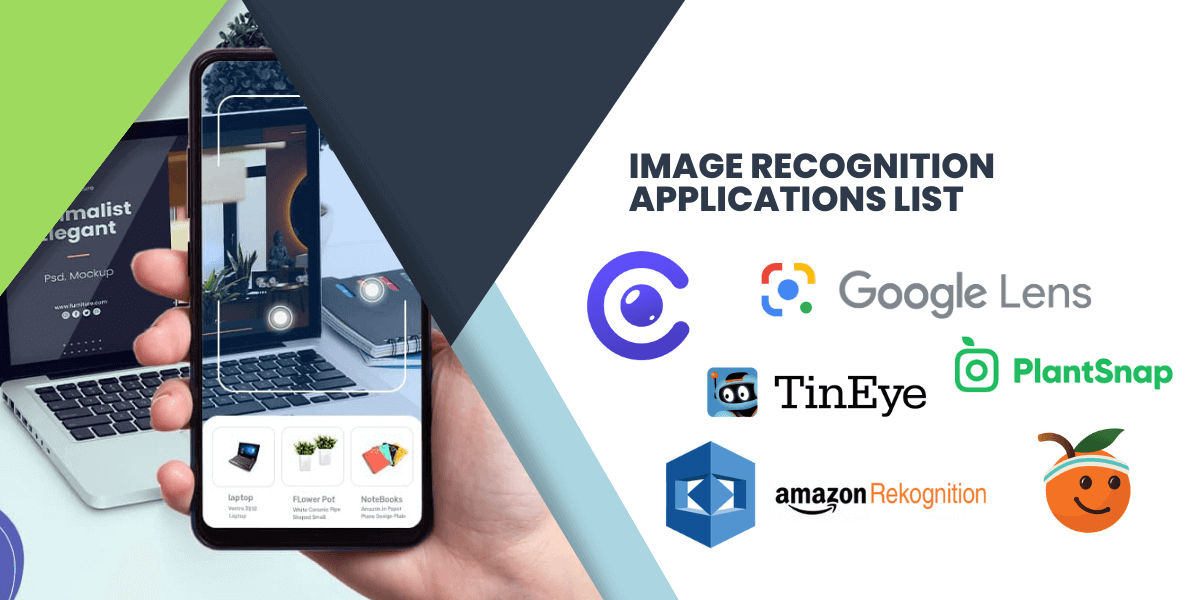
1. Google Lens
Google Lens is the most capable free image recognition app. Point your camera at text, a product, a plant or a landmark, and Lens shows matches, translations and shopping links.
It is built into Android and the Google app on iPhone. On many Android phones, Circle to Search lets you circle anything on screen to look it up. Best for: everyday visual search.
2. Apple Visual Intelligence
Apple Visual Intelligence works on iPhone 15 Pro and newer with Apple Intelligence turned on. Since iOS 26, it can also search what is on your screen, such as a product in a screenshot.
Many older iPhones still get Visual Look Up in the Photos app, which names plants, pets, landmarks and art. Best for: iPhone users who want no extra app.
3. PlantSnap
PlantSnap names plants, flowers and trees from a photo. Its database covers hundreds of thousands of species, and each result comes with care tips.
The app is free to download, with a paid plan for full use. Results are good for common plants but weaker on rare ones. Best for: casual gardeners.
4. Amazon Rekognition
Amazon Rekognition is not a consumer app. It is an AWS service that developers add to their own apps to detect objects, faces, text and unsafe content in images and video.
You pay for each image or minute of video it processes. AWS ended its People Pathing feature on 31 October 2025, so check the current feature list first. Best for: teams building their own product.
5. TinEye
TinEye is a reverse image search engine. Upload a photo or paste its link, and it shows where that image appears online.
Search is free for non-commercial use, on the web or through extensions for Chrome, Firefox and Edge. Best for: tracking where a photo came from.
6. Seeing AI
Seeing AI is a free Microsoft app for blind and low-vision users, on iPhone and Android. It reads text and documents aloud, scans barcodes and describes people and scenes.
There are no ads and no paid tiers. Best for: hands-free help with reading and getting around.
7. Fooducate
Fooducate scans a food barcode and gives the product a simple letter grade. It flags weak ingredients and suggests better options.
The core app is free, with a Pro upgrade for extra tracking. Best for: people who want to read labels faster.
8. PictureThis
PictureThis is one of the most popular plant identifiers, with a very high App Store rating. It also helps you spot plant diseases and sends watering reminders.
It starts with a free trial, then moves to a yearly plan, so cancel in time if you only need a few scans. Best for: keen gardeners.
9. Be My Eyes
Be My Eyes links blind and low-vision users with sighted volunteers over live video. Its Be My AI feature also describes photos in detail and answers follow-up questions.
The app is free for users. Best for: help that mixes AI with a real person.
10. CamFind
CamFind, from CloudSight, was one of the first visual search apps. Snap an object and it returns a name plus web and shopping results.
It is still on the App Store, but updates have slowed and reviews are mixed. Best for: a quick second opinion next to Google Lens.
How Businesses Use Image Recognition
- Retail: shoppers snap a product and find it in your store.
- Healthcare: models help doctors review scans, while a clinician makes the final call.
- Security: cameras flag unusual activity and control who enters a site.
- Media: apps tag large photo libraries and screen out unsafe content.
- Manufacturing: cameras spot defects on the production line.
Also Read
Tech Stack to Build an Image Recognition App
Mobile App: Native or Cross-Platform
Use Swift for iPhone apps and Kotlin for Android app development. Or ship one codebase with Flutter or React Native through cross-platform app development.
On-Device ML: Core ML, LiteRT and ML Kit
On-device models answer fast, work offline and keep photos on the phone. Google renamed TensorFlow Lite to LiteRT in 2024.
Image Processing: OpenCV
OpenCV handles cropping, resizing and cleanup before a photo reaches the model.
Model Training: PyTorch or TensorFlow
Train or fine-tune your own model when ready-made APIs miss your niche, such as your own product range.
Cloud Vision APIs
Google Cloud Vision, Amazon Rekognition and Azure AI Vision give you labels, text and face detection without training a model.
Multimodal AI Models
Vision models from OpenAI, Google and Anthropic can describe a photo and answer questions about it. Our generative AI team can add them to your app.
Backend: Node.js or Python
The backend makes the API calls, queues heavy jobs and stores the results.
Storage and Database
Keep images in object storage such as Amazon S3, and keep metadata in a database such as MongoDB or PostgreSQL.
Login and Deployment
Firebase Authentication handles sign-in. Docker and Kubernetes package and scale the services.
Also Read
Building an Image Recognition App? How EchoInnovate IT Helps
We build image recognition and computer vision features into Android, iPhone and cross-platform apps. A first release often uses a cloud vision API or a vision model. Key tasks then move on-device once real use proves them out.
The first step is a short scoping call, and then you get a fixed quote. See our AI development services or cross-platform app development. We are a team of 50+ people with 12+ years and 500+ products shipped.
Conclusion
Start with Google Lens or Apple Visual Intelligence for everyday visual search. Add a niche app, like PictureThis for plants or Seeing AI for accessibility, when you need more depth.
If no app fits your business, build one. Our mobile app development team can help you scope it.
Frequently Asked Questions
What is the best image recognition app?
For most people, Google Lens is the best free choice. It reads text, finds products and names plants and landmarks on Android and iPhone. Owners of an iPhone 15 Pro or newer can also use Apple Visual Intelligence. For a narrow task, such as plants or food labels, a specialist app often does better.
Are image recognition apps free?
Many are. Google Lens, Visual Look Up, Seeing AI and Be My Eyes cost nothing. Plant apps such as PictureThis and PlantSnap are free to download but push a paid plan for full use. Developer services such as Amazon Rekognition charge per image, so the cost grows with usage.
How accurate are image recognition apps?
They are very good at common things, such as printed text, popular products and well-known plants. Accuracy drops for rare species, blurry photos and regional foods. Treat any result as a strong hint, not a final answer. Never rely on an app alone for medical or safety calls, like eating wild plants.
How does image recognition work in these apps?
A model is trained on huge sets of labeled images until it learns the patterns behind each label. When you take a photo, the app cleans it up, runs it through the model and returns the most likely matches. Some apps do this on the phone, and others do it in the cloud.
How much does it cost to build an image recognition app?
It depends on the approach. An app built on a ready-made vision API usually sits in the entry tier. A custom model trained on your own data moves to the mid or upper tier, mainly because of data labeling and training. We give a fixed quote after a short scoping call.
Reading about trends is easy. Shipping ahead of them is hard.
Every trends article you read, your competitor read too. The edge comes from shipping first. We help product teams turn ideas like visual search, on-device ML or AR into a working app, starting with a short scoping call.