Why Look for Apps Like WhatsApp in 2026?
WhatsApp serves over 2.7 billion monthly active users in 2026, making it the world’s most-used messaging platform. But that scale comes with trade-offs — Meta’s data-sharing policies, ad tracking on the Business API, and one-account-per-phone-number limits push millions of users to seek alternatives every year.
If you’re searching for messaging apps like WhatsApp, you’re probably looking for one of three things: stronger privacy (end-to-end encryption without metadata leaks), a feature WhatsApp doesn’t offer (multi-device sync without your phone, larger group calls, channels), or the freedom to use a service that isn’t owned by Meta. If you’re inspired to build something here, see our mobile app development services.
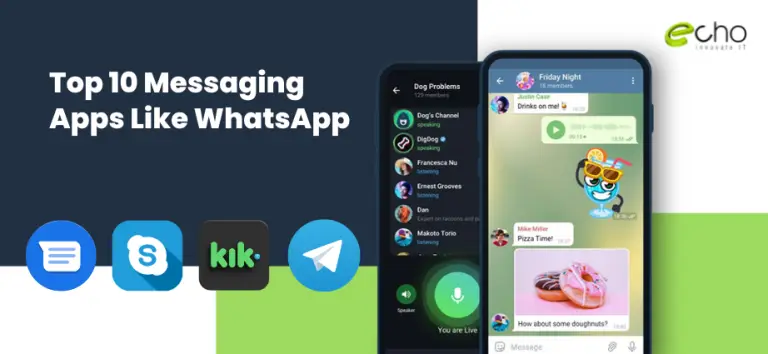
This guide covers 10 messaging apps that compete with WhatsApp in 2026 — what each does best, who it’s built for, and where it falls short. Whether you want bank-grade encryption (Signal, Threema), team collaboration (Discord, Skype), or simple cross-platform texting (Google Messages, iMessage), you’ll find a solid fit below.
And if you’re a founder thinking about building your own messaging app, the conclusion covers what it actually takes to compete in this space in 2026.
Signal
6 min read · Last updated: May 2026
In this article
- 1. Signal
- 2. Pros and Cons of Signal
- 3. Viber
- 4. Pros and Cons of Viber
- 5. Telegram
- 6. Pros and Cons of Telegram
- 7. KiK Messanger
- 8. Pros and Cons of KiK
- 9. Wire
- 10. Pros And Cons Of Wire
- 11. Skype
- 12. Pros and Cons of Skype
- 13. iMessage
- 14. Pros and Cons of iMessage
- 15. Google Messages
- 16. Pros and Cons of Google Messages
- 17. Discord
- 18. Pros and Cons of Discord
- 19. Threema
- 20. Pros and Cons of Threema
- 21. Conclusion
Signal is a great choice if you’ve been seeking one of the finest messaging apps like WhatsApp. It is far more secure and offers superior privacy. As a result, Signal has received support from Edward Snowden and Elon Musk.
The Signal is run and owned by a non-profit organization led by Moxie Marlinspike, an anarchist and cryptographer, and Brian Acton, Whatsapp co-founder.
It is free and supports text messages, group calls, and video calls. Fortunately, it also lets you set your messages to self-destruct. The best feature of Signal is that it uses end-to-end encryption, which WhatsApp also does. As a result, you will have the same level of security as WhatsApp but without Meta’s involvement.
Signal conducts security audits daily. However, it lacks the option of backup. However, it includes an export mode that allows you to manually back up data and transfer it to another device. Related: social app development.
Pros and Cons of Signal
Pros
- Strong focus on privacy
- Open-source code
- Cross-platform compatibility
Cons
- Limited features
- Smaller userbase
- Reliance on phone number
Viber
Viber is another software that functions similarly to WhatsApp. This application was published in 2010, then Rakuten relaunched it around four years later as Rakuten Viber.
It is one of the popular messaging apps like WhatsApp that offers a variety of functions. Viber, for example, boasts about its End-to-End Encryption data security solution for texts, calls, and any shared media, but WhatsApp also employs it.
Furthermore, the photographs saved on your devices will be secured, and it supports multiple devices. Unfortunately, this feature is not accessible in WhatsApp. It also includes the Viber Out feature, which lets you make low-cost international calls to non-Viber users.
Viber allows you to use stickers, make voice and video calls, and backup your data to Google Drive. It also includes in-app games.
Pros and Cons of Viber
Pros
- Free calls and messages
- Multi-device compatibility
- File sharing
Cons
- Potential for spam
- Security concerns
- Inefficient user interface
Telegram

If you’ve been seeking the finest Whatsapp alternatives, Telegram is an obvious pick. It is run by the famous Russian brothers Nikolai and Pavel Durov. The brothers are famous for launching Vkontakte, a Facebook alternative.
Telegram surpasses WhatsApp in terms of functionality. For example, it offers a cloud-based solution. This allows you to access your Telegram messages from both your PC and mobile device. It also supports unrestricted and large-scale file sharing. Related: mobile app development services.
Telegram employs two encryption methods. Telegram utilizes server-client encryption for group chats and end-to-end encryption for secret talks. Not only that, but this program can delete texts after a set amount of time has passed.
Pros and Cons of Telegram
Pros
- Strong focus on features
- Cloud-based storage
- Customization options
Cons
- Security concerns
- Potential for misinformation
- Privacy concerns with phone number
KiK Messanger
Kik is one of the most popular messaging programs, similar to messaging apps like WhatsApp. The main difference is that you will not be required to enter your phone number while registering.
Unlike WhatsApp, Kik merely requests your email address to finish the registration procedure. Once completed, it will assign you a unique ID for interacting with other Kik members. It caters to a wide range of communications demands and enables bots. You can also utilize bots to get news, trend suggestions, and quizzes.
Kik does not save messages on its servers for backup purposes. As a result, regaining access to older communications will be difficult. You can do this by taking screenshots or utilizing third-party software.
Pros and Cons of KiK
Pros
- Anonymous registration
- Group chat capabilities
- Free to use
Cons
- Lack of moderation
- Privacy concerns
- Competition from other messaging apps
Wire
Wire is one of the greatest messaging apps like WhatsApp, founded in 2012 and released two years later. Unfortunately, the user count has yet to be updated, as many are unaware of it.
It is an independent platform that includes E2EE (end-to-end encryption). Janus Friis, Skype’s co-founder, founded Wire. The nicest feature of this app is that phone calls from Wire are tap-proof. This is something WhatsApp lacks.
Like other messaging systems, Wire provides platform independence and end-to-end encryption. Another advantage of using the app is that it allows you to create group calls using voice-over-IP technology.
Pros And Cons Of Wire
Pros
- Strong focus on security and privacy
- Open-source code
- Collaboration tools
Cons
- Limited user base
- Limited customization options
- Paid plans for most features
Skype
Skype will be an ideal WhatsApp successor. If you need to make an international phone or video call, this is the best option.
With Microsoft’s support, Skype has surpassed all other corporate chat programs. However, this development has worked against
Skype is not suitable for intimate talks because of its commercial reputation. But let me tell you that Skype is one of the best chatting apps on the market, particularly if you have a lot of video and phone conversations.
Skype has the best video call feature when compared to WhatsApp. Skype, like WhatsApp, allows you to effortlessly retrieve past chats and deleted text messages.
Pros and Cons of Skype
Pros
- Free calls and messages
- Group calls and video conferencing
- Integration with Microsoft products
Cons
- Privacy concerns
- Security vulnerabilities
- Potential for spam and unwanted calls
iMessage
iMessage differs from the default messaging software on your phone. iMessage, often known as an over-the-top (OTT) program, does not require cell data to function; instead, all you need is an internet connection. Furthermore, sending texts via Wi-Fi is free of charge.
It’s vital to understand that iMessage is a texting program that only works with Apple devices. When you try to send an iMessage to an Android device, your phone will send it as an SMS (green message) rather than an iMessage (blue). Users can send messages, videos, photos, and stickers with this messaging app. Overall it’s a safe and interactive app for Apple users to stay in touch with their friends and family.
Pros and Cons of iMessage
Pros
- Seamless integration
- Rich with various features
- End-to-end encryption
Cons
- Limited platform
- Privacy concerns
- Lack of features compared to competitors
Google Messages
This may seem unusual, but please hear us out! Google’s RCS messaging service has advanced by leaps and bounds since its initial release. Although it is not the most commonly available service in the world and is only available to Android users, practically every Android smartphone should include this capability. Simply download the Google Messages app, navigate to the settings, and enable RCS. Related: hire cross-platform developers.
RCS is a secure way to send messages across devices; messages sent with RCS are encrypted and can carry more information than SMS, and the Google Messages app is packed with useful features like smart replies, stickers, GIFs, suggested actions, and seamless integration with GBoard.
Pros and Cons of Google Messages
Pros
- Wide platform compatibility
- Free to use
- Integration with other Google services
Cons
- Limited security by default
- Potential data charges
- Privacy concerns
Discord

Discord is another messaging apps like WhatsApp. It lets you browse several servers that interest you. It allows you to make audio and video chats, share files, and so on, but the nicest feature is sharing your screen with your pals.
Again, it includes integrations with Twitch, YouTube, Spotify, Steam, Battle.net, Reddit, and Xbox Live, among others. You can form a group of ten people or set up your server if you want more members.
If you want something that will meet all of your messaging needs, this is it! Unfortunately, Discord presently does not provide a backup option for your data. Instead, you will need to use third-party apps to manually transfer your desired files.
Pros and Cons of Discord
Pros
- Strong community focus
- Customization options
- Multi-device compatibility
Cons
- Potential for toxicity
- Limited privacy
- Cost for advanced features
Threema
You can also switch to Threema, a messaging app similar to WhatsApp. This application was created in Switzerland and places a high priority on data security.
Every message is encrypted from beginning to end, and messages are destroyed from the server as soon as they are transmitted. Another advantage of this program is that it stores no metadata. Related: build a chat or social app.
Apart from this, Threema will provide you with a voting tool for conducting surveys. And, because it is more concerned about data security, it has PIN locks for all of your private chats.
Threema provides a safe browser that stores all your data on your phone rather than on servers. However, Threema isn’t free. You will be charged for using this program.
Pros and Cons of Threema
Pros
- No phone number or email required
- Strong focus on privacy and security
- End-to-end encryption
Cons
- One-time purchase fee
- Limited platform support
- Lack of certain features
Conclusion
In 2026, no single WhatsApp alternative wins on every axis — the right pick depends on what you’re trying to escape from WhatsApp.
- For maximum privacy: Signal is the gold standard. End-to-end encryption, no metadata retention, trusted by security researchers, Edward Snowden, and Elon Musk.
- For business and team chat: Discord and Skype are the strongest picks — Discord for community-driven communication, Skype for international calling.
- For Apple-only users: iMessage remains the smoothest option with end-to-end encryption baked in.
- For cross-platform SMS replacement: Google Messages with RCS is the closest thing to a default WhatsApp replacement on Android.
- For paid privacy: Threema ($4 one-time) offers anonymous accounts (no phone number required) and Swiss data residency.
Thinking about building your own messaging app? EchoInnovate IT has built secure, scalable messaging platforms for over 17 years through our mobile app development and cross-platform app development services. Our team handles end-to-end encryption protocols, real-time infrastructure (WebSocket/MQTT), media delivery, and full Apple/Google store compliance. Get a free roadmap and estimate for your messaging app idea below.
Frequently Asked Questions
Which messaging app is the most popular worldwide?
WhatsApp boasts the highest number of users globally, followed closely by Facebook Messenger.
Can I use these messaging apps for free?
Yes, all the mentioned apps are free to download and use, although some may offer premium features or in-app purchases.
Are these messaging apps available on all platforms?
Yes, WhatsApp, Facebook Messenger, Telegram, Signal, and WeChat are available on both Android and iOS platforms. Additionally, some of them offer web versions for desktop use.
How do I move my contacts from WhatsApp to another messaging app?
Most modern messaging apps (Signal, Telegram, Viber) detect contacts automatically when you grant them access to your phone book — only contacts who also have that app installed will appear. WhatsApp does not natively export chats to other platforms, but you can manually export individual chats as .txt from WhatsApp’s settings before switching.
Which messaging app is the most secure in 2026?
Signal and Threema are the two most-recommended apps by security researchers. Both use end-to-end encryption, store minimal metadata, and have undergone independent security audits. Signal is free; Threema costs around $4 one-time but includes anonymous account creation (no phone number required) and Swiss data residency.
Can I use multiple messaging apps at the same time?
Yes. Most users in 2026 keep 2–4 messaging apps installed simultaneously — typically WhatsApp for friends and family, Signal or Telegram for privacy-sensitive conversations, and a workplace app like Slack or Discord. The downside is fragmented contact lists; the upside is you are not locked into any single platform’s policies.
Senior mobile engineers. Real timelines. Zero outsourcing tricks.
iOS, Android, Flutter, React Native — discovery to App Store in 12–16 weeks, with senior engineers (not juniors managed by sales reps). Transparent weekly demos, fixed-scope billing, and engineers who write better English than most US shops. Most clients ship their MVP at half the cost of a US agency, with the same quality bar. Stop hiring on price — start hiring on output.