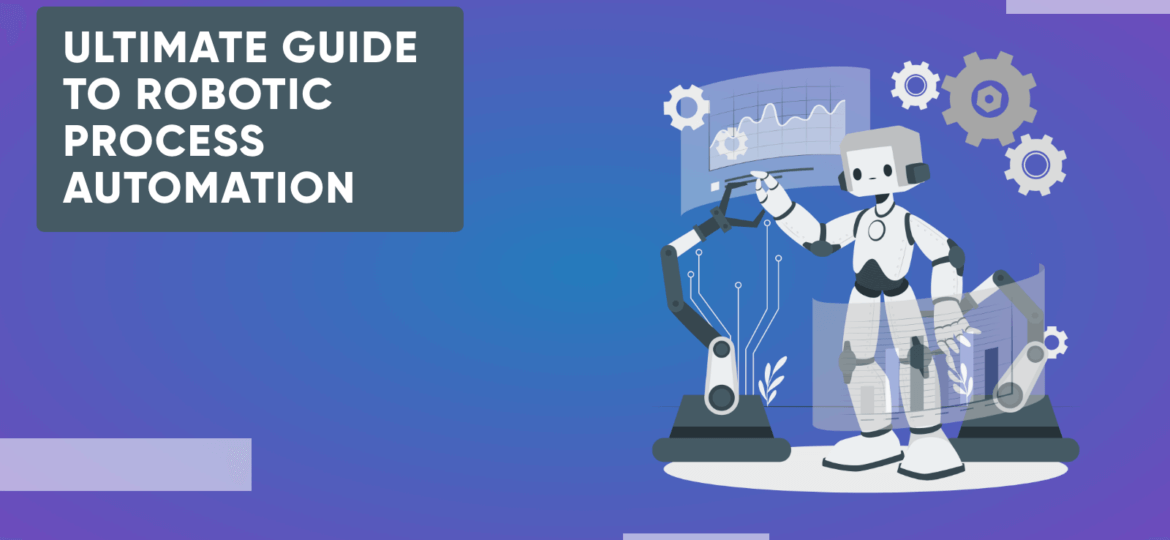
Robotic process automation (RPA) uses software bots to do the repeated computer work people do today. A bot clicks, types, copies and checks data across your apps, just like a person would. It follows clear rules, so it works fast and makes fewer mistakes.
In short: RPA is best for stable, rule-based tasks with lots of volume, like data entry, invoices and reports. Pair it with AI when the input is messy, such as emails and scanned files. When a process changes often, a direct integration or custom software is usually the better choice.
8 min read
In this article
- 1. What is robotic process automation?
- 2. How does RPA work?
- 3. Key benefits of RPA
- 4. RPA, intelligent automation and AI agents
- 5. When RPA is the right fit
- 6. Popular RPA tools
- 7. How to start an RPA project
- 8. Example: an invoice bot, step by step
- 9. Industries that use RPA
- 10. Planning an automation project?
What is robotic process automation (RPA)?
RPA is software that copies the steps a person takes on a computer. You design those steps once. A bot then repeats them, day or night, without getting tired or bored.
Bots work through the same screens, forms and files your team uses. So they can handle jobs like these:
Typing data from emails or forms into a system
Moving data between two apps that don’t talk to each other
Processing invoices, orders and refunds
Building daily or weekly reports
Checking records and flagging errors
The key idea is that RPA works on top of the software you already have. You don’t need to rebuild your systems or wait for new connections.
Here’s a simple example. A bank bot can read new loan forms, copy the details into the loan system and send each file to the right team.
How does RPA work?
Most RPA platforms have three main parts:
A design studio, where you build the bot’s steps, often by drag and drop or by recording your clicks.
A control room (also called an orchestrator), where you schedule bots, store their logins and watch their work.
The bots, which run the steps on a desktop, a server or a virtual machine in the cloud.
Building a bot usually follows five steps:
Pick the task. Choose one that’s frequent, rule-based and stable.
Map the steps. Write down every click, field and decision, including the odd cases.
Build the bot. Developers create the workflow in a tool such as UiPath, Power Automate or Automation Anywhere.
Test it. Run the bot on real samples and fix the cases where it fails.
Run and monitor. Put the bot live, track its results and update it when your apps change.
Bots come in two types. Attended bots run on a worker’s computer and help with part of a task when that person starts them. Unattended bots run on their own on a server, often on a schedule, with no one watching.
Key benefits of robotic process automation
1. Saves time
Bots take over dull, repeated tasks like data entry. Your team gets that time back for work that needs judgment, like helping customers or fixing problems.
2. Lowers running costs
Fewer manual hours means lower running costs for the same amount of work. You also spend less time fixing mistakes.
3. Improves accuracy
A bot does the same steps the same way every time. It doesn’t skip a field or type a wrong digit because it’s tired. That matters most in finance and healthcare.
4. Helps with compliance
Bots log each step they take. That gives you a clear record for audits and reviews. Rules are also applied the same way on every file.
5. Works around the clock
Unattended bots can run at night and on weekends. Work that piles up overnight is done when your team logs in, so customers wait less.
RPA, intelligent automation and AI agents
Classic RPA follows fixed rules. It needs clean, structured input, like a form with the same fields each time. When the input is messy, such as a free-text email or a scanned PDF, a rules-only bot gets stuck.
That’s where AI comes in. Adding AI to RPA is often called intelligent automation. With it, bots can:
Read invoices, receipts and other files and pull out the key fields
Sort and route emails based on what they say
Spot unusual records that a person should check
Hand hard cases to a person, with the details attached
The newest step is AI agents. These can plan and take actions toward a goal instead of following a fixed script. In April 2025, UiPath launched a platform built to run AI agents, robots and people together.
Be careful with the hype, though. Gartner predicts that over 40% of agentic AI projects will be canceled by the end of 2027, due to rising costs, unclear value or weak risk controls.
So start with one clear, measurable task and keep a person in the loop for decisions that matter. That’s how our AI development services team builds agents and AI-assisted bots.
When RPA is the right fit (and when it isn’t)
RPA works best when a task is:
Done often, in high volume
Based on clear rules, with few exceptions
Run on screens and systems that rarely change
Fed by digital, structured input
It’s a poor fit when:
The process changes every few weeks
Most cases need human judgment
Your apps already offer good APIs you can connect directly
The real problem is an old system that no longer meets your needs
Bots that click through screens can break when a screen changes. So for core, long-term processes, a direct integration or custom software is often more stable. If your team keeps re-typing data between finance, stock and sales tools, a connected ERP system can fix the root cause instead of patching it with bots.
Popular RPA tools in 2026
These are some of the best-known RPA platforms today:
UiPath: a broad platform for RPA, document handling and AI agents.
Automation Anywhere: a cloud-based platform for company-wide automation.
Microsoft Power Automate: fits well with Microsoft 365, and Power Automate for desktop comes with Windows 11.
SS&C Blue Prism: known for unattended bots in large, regulated firms. SS&C bought Blue Prism in 2022.
Tungsten Automation (formerly Kofax): strong in document capture and invoice workflows.
Pega: combines RPA with case management and workflow tools.
The right tool depends on your apps, security rules and budget. Licence prices vary a lot by vendor and bot type, so try a short pilot on two tools before you commit.
How to start an RPA project
You don’t need a big program to begin. Most teams get better results when they start small and prove the value first.
List the tasks your team repeats each week and how long they take.
Pick one or two with high volume and clear rules.
Measure the current time, cost and error rate.
Build a pilot bot and run it next to the manual process.
Compare the results, then move on to the next task.
Plan for upkeep from day one. Someone needs to own each bot, watch for failures and update it when an app changes. For more examples, see how RPA drives business efficiency.
Example: an invoice bot, step by step
Say your accounts team gets hundreds of supplier invoices by email each month. Each one is typed into the finance system by hand. Here’s how an AI-assisted bot could handle it:
The bot checks the invoice inbox every hour.
An AI model reads each PDF and pulls out the supplier, date, amount and order number.
The bot matches the invoice to the purchase order in your system.
If everything matches, it enters the invoice and files the PDF.
If something doesn’t match, it sends the case to a person with a short note.
Your team now only handles the exceptions. The bot also keeps a log of every invoice, which helps at audit time.
Prefer video? This short guide from PEX Network walks through the basics of RPA.
Industries that use RPA
Almost any team with repeated computer work can use RPA. These industries use it the most:
Banking and financial services
Banks were early adopters of RPA. Common uses include account opening, KYC checks, loan processing and payments.
Finance and accounting work suits bots well, because the rules are clear and the volume is high. Typical tasks include:
- Accounts payable and invoice matching
- Bank reconciliations
- Month-end and regulatory reports
Retail and eCommerce
Retailers use bots to update stock levels, process orders and returns, sync prices across channels and sort customer feedback.
Healthcare and insurance
Bots help with claims, patient sign-up, eligibility checks and billing. Manufacturing, logistics, telecoms and the public sector are other common users.
Planning an automation project? How EchoInnovate IT helps
Off-the-shelf RPA is a good start, but many processes need more than a bot. We build AI-assisted automation, links between your systems and custom software that removes the manual step for good. For finance, stock and operations work, our ERP development services connect the tools your team re-types data between.
The first step is a short scoping call. We look at one or two of your processes, suggest the simplest fix (a bot, an integration or a custom build) and give you a fixed quote. We’ve shipped 500+ products in 12 years with a team of 50+ people.
Frequently Asked Questions
What can robotic process automation do?
RPA can do most rule-based tasks a person does on a computer. That includes copying data between apps, filling in forms, processing invoices and orders, checking records and building reports. It works through your existing screens, so you can start without replacing your systems.
What is a bot in RPA?
A bot is a piece of software that follows a set of steps you define. Attended bots run on a worker’s computer and help when that person starts them. Unattended bots run on their own on a server, often on a schedule, and can work around the clock.
What is the difference between RPA and AI agents?
RPA follows fixed rules and repeats the same steps each time. AI agents can read messy input, plan, and choose their next action toward a goal. Many teams combine the two. AI handles the reading and decisions, RPA does the clicks, and a person checks the cases that matter.
How much does an RPA project cost?
It depends on how many processes you automate, the tool licences and how much AI or custom work is involved. A single-process pilot sits in the entry tier, while company-wide programs sit in the mid or upper tier. We give a fixed quote after a short scoping call.
Is RPA safe for sensitive data?
It can be, if it’s set up well. Store bot logins in a secure vault, give each bot only the access it needs and keep a log of every action. Test bots before they touch live data, and limit who can change them. Regulated firms should also check their data rules.
Stop prototyping AI. Start shipping it.
AI agents, document reading, chatbots and smart automation: we take AI from demo to production, with the right model for your speed, cost and accuracy needs. Stuck at the proof-of-concept stage? We’ll help you ship.