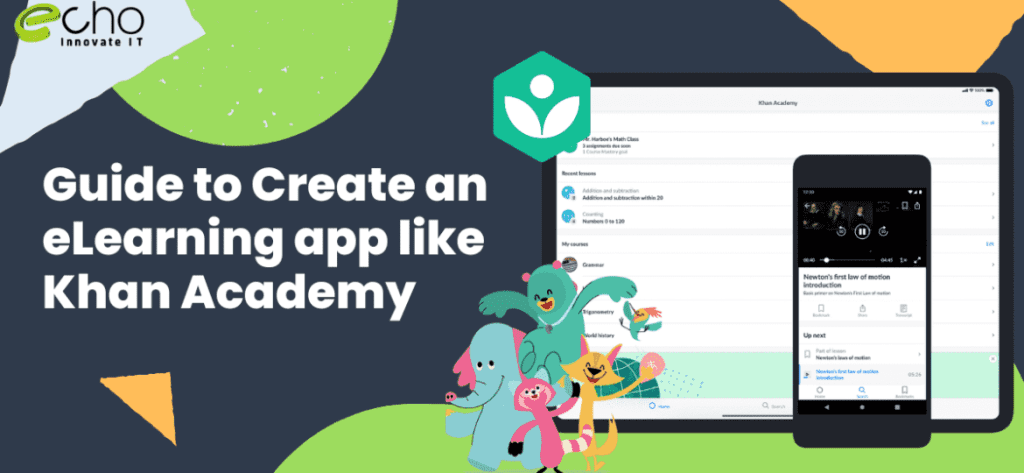
Building an eLearning app like Khan Academy in 2026 ranges widely by scope: a focused MVP sits at the entry level, a growth-stage product in the mid-range, and a scaled platform at the enterprise end, with adaptive learning, live classes, and millions of users. The exact figure depends on how much of Khan Academy’s model you replicate: structured courses, practice exercises, progress mastery tracking, video lessons, and a coach or parent dashboard.
Khan Academy is free, non-profit, and backed by donations, so cloning its business model is rarely the goal. What founders and education teams actually want is its learning architecture: bite-sized lessons, mastery-based progression, instant feedback on practice problems, and analytics that show a learner exactly what to study next. This guide breaks down what that costs to build, the must-have features, the tech stack, the realistic timeline, and how EchoInnovate IT approaches an education app build. We answer the cost question first, then give you the detail to plan a budget.
Key takeaways
- An MVP of a Khan Academy–style app is an entry-level build; a full adaptive platform is a substantially larger, enterprise-scale investment.
- The real value to replicate is mastery-based progression, practice exercises with instant feedback, and per-learner analytics — not video hosting alone.
- Video delivery, adaptive question engines, and offline access are the three features that most affect budget.
- A cross-platform build (Flutter or React Native) plus a cloud backend keeps costs controlled while covering iOS, Android, and web.
- Most of the cost is scope, not location — get a transparent quote after a short scoping call rather than guessing from a fixed price.
How much does it cost to build an eLearning app like Khan Academy?
Education apps are priced by scope, not by a single sticker price. The most useful way to budget is to decide which stage you are building for: a lean MVP to validate demand, a growth product ready for real classrooms and paying users, or a scaled platform built for adaptive learning at volume. The tiers below reflect 2026 build scopes for a Khan Academy–style learning app built by an experienced offshore or nearshore team. They are a relative guide, not a fixed EchoInnovate IT quote — we give you an exact figure after a short scoping call.
| Tier | What you get | Investment level | Timeline |
|---|---|---|---|
| MVP | Course catalog, video lessons, basic quizzes, user accounts, simple progress tracking, one platform or cross-platform mobile | Entry-level | 2–4 months |
| Growth | Mastery progression, adaptive practice, coach/parent dashboards, gamification, offline mode, payments, iOS + Android + web | Mid-range | 4–8 months |
| Scale | Adaptive learning engine, live classes, AI tutoring, multi-language, institutional admin, analytics at scale, high concurrency | Enterprise-scale | 8–14 months |
Two things move a project between tiers faster than anything else: the adaptive question engine and video infrastructure. A fixed quiz bank is inexpensive; a system that adjusts difficulty per learner and recommends the next exercise is a real engineering effort. Likewise, hosting a few tutorial videos is cheap, but streaming thousands of lessons reliably to low-bandwidth devices is not. For a deeper breakdown of the underlying drivers, our mobile app development cost guide is a useful companion, and our education app development service page shows the kind of platforms we ship.
Must-have features of a Khan Academy-style app
What makes Khan Academy work is not the video player; it is the combination of structured content, practice, and feedback that keeps a learner moving. If you strip the platform down to what actually drives learning outcomes and retention, these are the features worth budgeting for.
Structured course catalog and lesson library. Content is organized into subjects, units, and lessons so a learner always knows where they are and what comes next. Each lesson pairs a short explanation, usually video, with practice. A clean content model here saves money later because it determines how easily you can add subjects and reorder curriculum without rebuilding screens.
Video lessons with resilient playback. Short, focused videos are the backbone of the format. In production you need adaptive bitrate streaming so lessons play on weak connections, resume-where-you-left-off, playback speed control, and captions for accessibility and multi-language reach. Video is also where hosting and delivery costs quietly accumulate, so it deserves attention early.
Practice exercises with instant feedback. The single most important feature is the exercise engine. Learners answer questions, get immediate right/wrong feedback with worked explanations, and earn credit toward mastery. Question types range from multiple choice to numeric input, drag-and-drop, and step-by-step problems. This is the feature that separates a video app from a genuine learning app.
Mastery and progress tracking. Khan Academy’s mastery system shows a learner what they have practiced, what they have mastered, and what needs review. Replicating this means tracking performance per skill, not just per course, and surfacing it in a progress dashboard. This data is also what powers streaks, goals, and personalized recommendations.
Gamification. Points, badges, energy points, streaks, and levels keep learners returning. These mechanics are inexpensive relative to their impact on retention, which is why almost every serious education app includes them.
Coach, teacher, and parent dashboards. A second set of users — teachers or parents — needs to assign content, monitor progress, and spot where a learner is stuck. This role-based layer is a meaningful part of the build and often the feature that unlocks institutional or B2B revenue.
Offline access. For learners with limited connectivity, downloading lessons and syncing progress later is a major differentiator. It adds engineering complexity but widens your addressable market considerably, especially in emerging regions.
Search, accounts, and notifications. Fast content search, secure sign-in (including social and school logins), and push notifications for reminders and streaks round out the baseline. Whether you build these natively or use a cross-platform framework affects both cost and timeline, which we cover in the mobile app development approach below.
Tech stack and integrations
The right stack for a learning app balances development speed, cost, and the ability to handle video and growing user numbers. There is no single correct answer, but the following choices are proven for education products in 2026.
Mobile and web front end. For most eLearning apps we recommend a cross-platform framework — Flutter or React Native — so a single codebase covers iOS and Android, with a responsive web app for desktop learners. Cross-platform keeps build and maintenance costs down without compromising the interface quality that education apps need. Where a specific screen demands heavy native performance, it can be dropped to native code selectively.
Backend and APIs. A backend in Node.js, Python (Django), or Laravel exposes clean APIs for content, progress, and users. The content and progress models are the heart of the system, so they are worth designing carefully up front. A well-structured API also makes it far cheaper to add a web client, an admin panel, or partner integrations later.
Database. A relational database such as PostgreSQL handles users, courses, and progress well, often paired with a caching layer like Redis for leaderboards, sessions, and fast progress reads. For very large question banks and analytics, a document or time-series store may be added.
Video delivery. Rather than build streaming from scratch, most teams use a managed provider — a CDN plus a video platform that handles transcoding, adaptive bitrate, and DRM if needed. This is faster and cheaper than self-hosting and scales cleanly as your catalog grows.
Cloud and infrastructure. AWS, Google Cloud, or Azure provide the hosting, storage, and scaling. Containerized services and autoscaling keep costs proportional to real usage, which matters when traffic is spiky around exam seasons or school terms.
Key integrations. Expect to integrate authentication (email, social, and optionally school SSO or Google Classroom), payments (Stripe or a regional gateway for subscriptions), analytics and crash reporting, push notifications, and email. If you plan AI tutoring or automated hints, an LLM integration is added at the growth or scale tier. Teams that need to add specialist engineers quickly for a phase like this often use IT staff augmentation rather than hiring permanently.
How long does it take to build?
A realistic timeline tracks the tiers above. An MVP that proves the concept — catalog, video, basic quizzes, accounts, and progress — is achievable in two to four months with a small, focused team. This is enough to put the product in front of real learners and gather retention data before you invest further.
A growth-stage product with mastery progression, adaptive practice, dashboards for coaches or parents, gamification, offline mode, and payments generally takes four to eight months. The adaptive practice logic and the second user role (teacher/parent) are the two workstreams that most often extend this phase, because both touch data modeling and multiple screens.
A scaled platform with an adaptive learning engine, live classes, AI tutoring, multi-language support, and institutional administration is a eight-to-fourteen-month effort, and in practice it is delivered in overlapping releases rather than one launch. The sensible pattern is to ship the MVP, learn from real usage, and fund each subsequent phase against evidence. That staged approach controls risk and spreads cost, and it is how most successful education products actually reach scale.
Timelines compress when the content model is clear from day one and when a dedicated team works the project full time rather than in fragments. They stretch when scope is still being discovered mid-build, which is exactly what a short discovery phase is designed to prevent.
What drives the cost
If two quotes for the same app differ widely, it is almost always because of the following variables. Understanding them lets you control the budget instead of being surprised by it.
The adaptive engine. A static quiz bank is cheap. A system that measures mastery per skill, adjusts difficulty, and recommends the next best exercise is a genuine data and algorithm effort. Deciding how sophisticated this needs to be at launch is the single biggest cost lever.
Video volume and quality. Ten tutorial videos and ten thousand are different products from an infrastructure standpoint. Transcoding, adaptive streaming, DRM, and CDN bandwidth all scale with your catalog and audience.
Number of user roles. A learner-only app is simpler than one that also serves teachers, parents, and institutional admins. Each role adds screens, permissions, and logic.
Platforms. iOS only is cheaper than iOS, Android, and web at once. Cross-platform frameworks reduce this cost sharply, which is why we usually recommend them for education products.
Offline and low-bandwidth support. Download-and-sync is valuable but adds real engineering around conflict resolution and storage. It is worth it if your audience needs it, and skippable if they do not.
Content volume and migration. Producing or migrating hundreds of lessons, questions, and explanations is a cost in its own right, separate from software. Plan for who creates the content and how it enters the system.
Team model and location. Onshore senior teams cost more per hour than experienced offshore or nearshore teams for comparable quality. This is why many education startups build with an offshore partner — our guide to hiring offshore developers explains the trade-offs. Location affects rate, but scope affects total cost far more.
How EchoInnovate IT builds eLearning apps
EchoInnovate IT is an India-based custom and white-label software development company with 12 years in business, 50+ employees, and 500+ products shipped — most of them under our clients’ own brands. We hold a 5.0 rating across 6 verified client reviews on Clutch. For an education product, that white-label experience matters: many of the learning apps in the market were built by teams like ours and carry someone else’s logo.
Our approach to a Khan Academy–style app starts with a short discovery phase to lock the content model, the mastery logic, and the launch scope. Getting the data model right early is what keeps later phases affordable, because adding subjects, question types, and roles becomes configuration rather than rebuilding. From there we assign a dedicated team — product, design, mobile, backend, and QA — that works your project full time, so timelines stay predictable.
We build cross-platform by default to cover iOS, Android, and web from one codebase, integrate managed video delivery rather than reinventing streaming, and design the exercise engine so it can grow from a fixed quiz bank into full adaptive practice without a rewrite. We handle app store releases, analytics, and ongoing maintenance, and we can scale the team up or down as each phase demands. If you need to add specialist skills for a specific stage — a data engineer for the adaptive engine, say — we can do that through staff augmentation without disrupting the core team. You can see the full service on our education app development page, and our broader software development company overview covers how we work across projects.
We do not publish fixed prices because scope drives everything, and an honest number requires understanding your specific requirements. Instead, we give you a transparent, itemized quote after a short scoping call so the estimate matches the product you actually want to build.