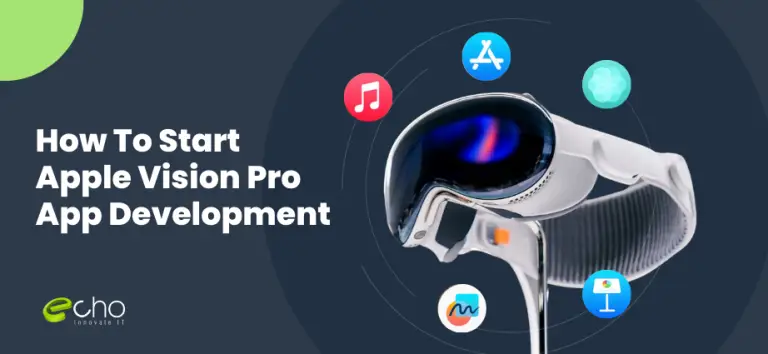
The cost of building an Apple Vision Pro app in 2026 ranges from a focused MVP to a full spatial experience with 3D content, hand and eye interaction, and shared or immersive environments. visionOS is a new platform with its own design language, so budgets skew higher than a standard iOS app: spatial interfaces, 3D assets, and the testing required on real hardware all add cost.
This guide leads with the cost, then covers what you can actually build on visionOS, the tools and tech stack, a realistic timeline, and the factors that move the budget, so you can plan a spatial product without overspending on a platform that is still finding its audience. Whether you are extending an existing iOS app into spatial computing, building a training or visualization tool for enterprise, or prototyping a consumer experience, the decisions below shape your cost more than any single framework. The scope drives the cost; you get a firm number after a short scoping call.
Key takeaways
- A Vision Pro MVP is entry-level; a full immersive spatial app is a far larger, enterprise-scale investment.
- 3D content and spatial interaction are the main cost drivers; a 2D window app ported from iPad is far cheaper than a fully immersive experience.
- The stack is Swift, SwiftUI, RealityKit, and ARKit, with USDZ 3D assets and Reality Composer Pro for scene building.
- An MVP takes roughly 3–5 months; a full immersive app takes 6–10 months, with heavy testing on real hardware.
- Start with a windowed or lightly spatial app to validate demand before investing in full immersion, since the audience is still growing.
How much does a Vision Pro app cost to build?
The cost of a Vision Pro app depends almost entirely on how spatial it is. A windowed app that mostly reuses iPad-style views is close to standard iOS pricing; a fully immersive experience with custom 3D scenes and hand-tracked interaction is a different scale of project. The tiers below reflect what we see in 2026 for offshore and blended teams. They are planning guides, not fixed quotes; the volume of 3D content and the depth of spatial interaction move the figure the most, so we provide a transparent quote after a short scoping call.
Because visionOS is still a young platform with a growing user base, the smart financial move for most companies is to prove the concept with a modest build before committing to a large immersive experience. Spend to validate, then scale.
| Tier | Investment level | What it includes | Best for |
|---|---|---|---|
| MVP | Entry-level | Windowed or lightly spatial app, SwiftUI interface, basic 3D elements, and a focused use case. | Validating a spatial idea or extending an iOS app to visionOS. |
| Growth | Mid-range | Volumetric content, hand and eye interaction, 3D models, spatial audio, and shared-space features. | Enterprise training, visualization, and product experiences. |
| Immersive | Enterprise-scale | Fully immersive environments, custom 3D pipelines, multi-user presence, and deep RealityKit work. | Flagship consumer or high-end enterprise spatial products. |
Tiers reflect 2026 patterns for offshore and blended teams; onshore-only rates run higher. Final pricing depends on scope, and we provide a transparent quote after a short scoping call. See our mobile app development cost guide for the wider picture.
What you can build on visionOS
visionOS organizes apps around three kinds of experience, and knowing which one you need is the single most useful thing you can do before estimating cost, because each step up adds engineering and 3D work.
Windows. A window is a flat, resizable panel floating in space, much like an iPad app. If your product is largely 2D (a dashboard, a media browser, a productivity tool), a window is the fastest and cheapest way onto the platform, and much of your existing SwiftUI code can carry over. Many strong first Vision Pro apps are simply well-designed windows.
Volumes. A volume is a bounded 3D container that can hold models users walk around and view from any angle, while still seeing their real surroundings. Volumes suit product visualization, 3D data, education, and anything where a model in the room beats a picture on a screen. They add 3D asset work and interaction design but stop short of full immersion.
Full spaces. A full space takes over the view for a truly immersive experience, from a partly immersive scene blended with the real room to a fully virtual environment. This is where spatial computing is most powerful and most expensive, because it demands custom 3D environments, careful comfort and performance work, and the most testing.
Interaction. Across all three, the primary input is eyes and hands: users look at a target and pinch to select, with no controller. Designing for gaze and gesture is a genuine shift from touch, and getting it comfortable and reliable is a real part of the build, not a detail. For teams new to the platform, this learning curve is itself a cost factor worth planning for.
Tools and tech stack for Vision Pro
Vision Pro development is native Apple development with a spatial layer on top. The stack is well-defined in 2026, which is good news for budgeting because the tooling is mature even though the platform is young.
Language and UI. Swift and SwiftUI are the foundation. SwiftUI builds your windows and 2D interface and also anchors spatial content, so a team with strong iOS skills already has most of what it needs. If you have an existing iOS or iPadOS app, a meaningful amount of code and design can carry across.
3D and spatial. RealityKit is Apple’s engine for rendering 3D content, physics, and animations, and ARKit provides world, hand, and scene understanding so content interacts with the real room. Reality Composer Pro, which ships with Xcode, is where designers and developers assemble and preview 3D scenes and materials. For larger interactive or game-like projects, Unity also supports visionOS and may be the better choice when you already have a Unity pipeline.
3D assets. USDZ is the standard 3D file format across the platform. Creating, optimizing, and testing these assets is often underestimated: high-quality models that also run smoothly on the headset take real effort, and asset work is a frequent source of budget surprises.
Backend and integration. Most apps still need a backend for accounts, content, and data, which is standard server work (for example a Node.js or Swift backend with a database). If you are extending a broader product, the Vision Pro app connects to the same services as your other clients, and our mobile app development team keeps the iOS and visionOS experiences consistent. When you need spatial or 3D specialists on an existing team, our IT staff augmentation services can supply them.
How long it takes to build a Vision Pro app
Timelines track how spatial the app is. A windowed or lightly spatial MVP usually takes 3 to 5 months from kickoff to App Store submission. A growth-stage app with volumetric content, hand and eye interaction, and 3D models takes 5 to 8 months. A fully immersive experience with custom environments and multi-user presence takes 6 to 10 months or more, with a large share of that time spent on 3D assets and on-device testing.
These estimates assume a dedicated team: a product manager, a spatial or UX designer, one or more Swift and RealityKit engineers, a 3D artist for volumetric and immersive work, and QA. Discovery and interaction design come first (they matter more here than on any touch platform), then the core experience, then 3D content and polish, then extensive testing on real hardware for comfort, performance, and motion. Testing takes longer than most teams expect, because spatial comfort issues only reveal themselves on the device, not in the simulator.
The fastest route to a shipped product is to start windowed or lightly spatial, learn how your real users behave in the headset, and add immersion in a later release once the demand is proven. This keeps early spend modest on a platform whose audience is still expanding.
What drives the cost of a Vision Pro app
Five factors explain most of the gap between a simple windowed app and a full immersive one, and knowing them lets you scope deliberately.
1. Degree of immersion. A window is close to iOS cost. A volume adds 3D work. A full immersive space adds custom environments, comfort tuning, and the most testing. This choice moves the budget more than anything else.
2. Volume and quality of 3D assets. Every model must be created, optimized for the headset, and tested for performance. High-fidelity assets that still run smoothly are labor-intensive, and asset scope is a common source of overruns.
3. Interaction complexity. Simple gaze-and-pinch selection is manageable. Rich hand-tracked manipulation, physics, and multi-step spatial workflows require careful engineering and repeated on-device tuning for comfort.
4. Multi-user and shared spaces. Letting people share a spatial experience adds real-time networking, presence, and synchronization, which is a substantial jump in complexity and cost.
5. Team experience and location. visionOS specialists are scarce, and a team learning the platform on your budget is slower and riskier. An experienced offshore or blended team is a common way to control cost while keeping quality. Our guides on offshore rates by country and hiring offshore developers cover how to do it well.
How EchoInnovate IT builds Vision Pro apps
EchoInnovate IT is an India-based custom and white-label software development company with 12 years of experience, a team of 50+ employees, and 500+ products shipped, most under our clients’ own brands. We hold a 5.0 rating across 6 verified client reviews on Clutch. Spatial computing rewards teams that combine solid Apple-platform engineering with real 3D and interaction design, and that pairing, plus the discipline to start small on a young platform, is what keeps a Vision Pro project from becoming an expensive experiment.
We start with a short discovery to decide whether your product wants a window, a volume, or a full space, and to define the interaction model, then propose a phased plan that ships a focused first version. You get a dedicated team, transparent weekly progress, and a fixed scope per phase so the budget stays predictable. We handle the full build (SwiftUI interface, RealityKit and ARKit spatial work, 3D assets, and backend), test thoroughly on real hardware, and handle App Store submission. As a software development company, our goal is a spatial product that feels comfortable and useful, not a tech demo.
Because we staff blended teams and build across Apple platforms, we can extend an existing iOS product to visionOS efficiently and deliver production-grade mobile app development at a cost onshore-only shops struggle to match. If you already have an iOS team and need spatial specialists, or want to explore adjacent AI development for features like object recognition, we can support both.