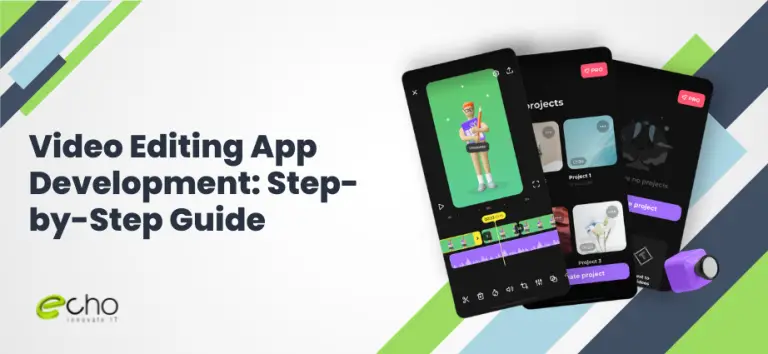
If you are planning a video editing app in 2026, the first thing you need is a realistic budget. Here is the direct answer: the cost of a custom video editing app depends on scope, features, and how much media processing it needs, and the range is wide because video is heavier than most app categories. A lean MVP with trimming, basic filters, and export can start near the low end, while a full creator suite with multi-track timelines, effects, AI features, and cloud rendering sits at the top. What pushes video apps above a standard app is the media engine: encoding, decoding, real-time preview, and export all demand serious engineering and testing.
This guide is written for founders and product teams budgeting a build. It covers what you actually pay for, the features that matter, the tech stack behind smooth playback and export, realistic timelines, the factors that move the price, and how we approach mobile app development for media-heavy products. We do not publish fixed prices, because a real number depends on your scope; you get a transparent quote after a short scoping call.
Key takeaways
- Video editing app cost depends on scope and features; the media engine is the main cost driver.
- Smooth real-time preview and reliable export are harder than they look and decide whether users trust the app.
- A focused MVP takes roughly 4–6 months; a full creator suite often runs 8–12 months.
- Ship a tight core first (import, trim, basic effects, export), then add multi-track, AI, and cloud features.
- Start with a low-risk pilot sprint to validate the media pipeline and get a transparent quote before committing budget.
How much does a video editing app cost in 2026?
Price follows scope, so the clearest way to budget a video editing app is by product tier rather than a single figure. The tiers below reflect common project sizes, assuming a dedicated team handling design, the media engine, testing, and a store release. Offshore and nearshore teams generally deliver comparable quality below onshore rates, which is why many creators and startups build with a partner to control the higher cost that video work carries.
| App tier | Investment level | What you get |
|---|---|---|
| MVP / basic editor | Entry-level | Import, trim, single-track timeline, basic filters, music, export on one platform |
| Mid-tier creator app | Mid-range | Multi-track timeline, transitions, text/stickers, speed control, presets, iOS + Android |
| Advanced / AI suite | Enterprise-scale | AI captions, background removal, cloud rendering, templates, collaboration, accounts |
| Ongoing support / releases | 15–20% of build/year | Maintenance, OS and codec updates, new effects, monitoring, security patches |
Treat these as planning ranges, not quotes. Two video apps that look alike can differ substantially once you account for how much processing runs on-device versus in the cloud, how many effects you ship, and whether you add AI. For a fuller breakdown of what moves the number on any app, our mobile app development cost guide is a useful companion to this page.
Must-have features and scope
Video apps live or die on whether editing feels responsive and export just works. Ship a tight core that nails those two things first, then expand. Here is how we recommend thinking about scope.
Core editing essentials. These earn their place in version one:
- Media import and management. Pull in clips from the camera roll or camera, with fast thumbnails and a clean media bin.
- Timeline and trimming. Precise trim, split, reorder, and a smooth scrubbing preview. This is the heart of the app and the hardest part to get right.
- Basic effects. Filters, brightness/contrast, crop and rotate, and speed control.
- Audio. Background music, volume control, fade, and simple voiceover recording.
- Text and titles. Captions, titles, and basic stickers with drag-and-position.
- Export and share. Reliable rendering to common resolutions with a clear progress state and direct share to social platforms.
Mid-tier features. Once the core is proven, these deepen the product: multi-track timelines, transitions, keyframe animation, chroma key, presets and templates, and project saving with user accounts.
Advanced and AI features that can wait. AI auto-captions, background removal, auto-highlights, voice-to-text, cloud rendering for heavy exports, and real-time collaboration all add strong differentiation, but each adds meaningful cost, time, and often a recurring processing bill. Sequence them after the core proves demand. If you are validating a new creator concept, our MVP for startups approach helps decide how much to build before committing to the full suite.
Tech stack and the media pipeline
The stack for a video app is different from a typical app because most of the engineering effort goes into the media pipeline: how frames are decoded, previewed in real time, processed, and encoded on export. Get this layer right and everything feels fast; get it wrong and no amount of UI polish will save the experience.
Front end (the app itself). Native Swift and Kotlin often make sense for video because they give direct access to the platform media frameworks that keep preview and export smooth, especially AVFoundation on iOS and MediaCodec / ExoPlayer on Android. Cross-platform frameworks such as Flutter or React Native can work well for the UI shell, with the heavy media work handled through native modules. Our React Native vs Flutter comparison explains where each fits.
The media engine. This is the core. Options range from the platform frameworks above to cross-platform libraries and custom pipelines built on tools like FFmpeg and GPU-accelerated shaders for effects and rendering. On-device processing keeps things private and cheap to run; cloud rendering handles heavy 4K exports and AI tasks that phones struggle with, at the cost of a processing bill. Most serious apps use a hybrid of both.
Back end and integrations. A back end for accounts, project sync, and templates; cloud storage for media; and a rendering service if you offload exports. Common integrations include analytics, subscription and in-app purchase billing, push notifications, and AI services for captions or background removal. Each integration is its own build-and-test effort. When a deadline needs more specialist capacity, many teams add engineers through our IT staff augmentation services rather than slipping the schedule.
How long it takes to build
Video apps take longer than average because the media engine needs careful building and heavy testing across devices. As a 2026 planning guide, a focused MVP usually takes 4 to 6 months from kickoff to store release, a mid-tier creator app runs 6 to 9 months, and an advanced or AI-driven suite commonly needs 9 to 12 months or more. These assume a dedicated team working in parallel rather than a small crew stretched thin.
A typical build moves through five phases. Discovery and design (4–6 weeks) defines the editing model, timeline UX, and export targets. Media engine and core editing (10–18 weeks) builds import, timeline, trimming, preview, and export, and is where most risk lives. Effects and features (overlapping, 4–8 weeks) adds filters, text, audio, and transitions. Testing and optimization (4–6 weeks) covers playback smoothness, export reliability, memory use, and device coverage. Launch and stabilization (2–4 weeks) handles store submission and the first fixes.
The single biggest schedule risk in a video app is underestimating export and device fragmentation. A preview that looks perfect on a flagship phone can stutter or crash on a mid-range device, and exports must be correct across resolutions, frame rates, and codecs. Budgeting real time for cross-device testing is what separates an app that ships on schedule from one that drags.
What drives the cost
To control the budget, know which levers move it. For video apps specifically, these six factors explain most of the gap between a lean build and a full creator suite.
- Single-track vs multi-track editing. A single-track editor is dramatically simpler than a multi-track timeline with layered video, audio, and effects. This one decision can shift the budget by a wide margin.
- On-device vs cloud processing. On-device is cheaper to run but harder to optimize; cloud rendering handles heavy exports and AI but adds infrastructure and a recurring per-minute cost.
- Effects and AI depth. Basic filters are inexpensive. Real-time effects, chroma key, keyframe animation, and AI features like auto-captions or background removal each add significant engineering.
- Export quality and formats. Supporting 4K, high frame rates, and multiple codecs increases both development and testing effort compared with a single standard export.
- Platform coverage. One platform costs less than two, and video amplifies the difference because each platform’s media stack behaves differently and needs its own tuning.
- Team location and seniority. Media engineering is specialist work; onshore senior rates are highest, while offshore and nearshore dedicated teams deliver comparable quality at lower rates.
The practical takeaway: you control cost mainly through scope and where processing runs, not by cutting quality on the parts users feel. For teams weighing in-house hiring against a delivery partner, our software development company overview explains how a dedicated team keeps cost predictable on specialist builds like this.
How EchoInnovate IT builds video apps
EchoInnovate IT is an India-based custom and white-label software development shop with 12 years of experience, 50+ employees, and 500+ products shipped, most of them under our clients’ own brands. We hold a 5.0 rating on Clutch across 6 verified client reviews. For media-heavy products, that experience matters, because the difference between a smooth editor and a janky one comes down to how well the team knows the platform media frameworks and how to test across devices.
Our model is a dedicated team rather than a rotating cast of freelancers. You get product, design, native mobile, media engineering, and QA working together, with one point of contact and clear weekly progress. We start by scoping the editing model and export targets tightly, build the media engine and core timeline first so you can feel the app early, then layer in effects, AI, and cloud features. We handle native integration, store submission for iOS and Android, and ongoing releases as codecs and operating systems change. Because we work as an extension of your team, many clients ship under their own brand with our engineers behind the product rather than on it.
We do not publish fixed prices, because a genuine number depends on your scope, especially how much runs on-device versus in the cloud. What we do promise is a transparent quote after a short scoping call, a realistic timeline, and no surprise line items. Whether you need a first mobile app, a rebuild of an existing editor, or extra media-engineering capacity to hit a deadline, we can size the engagement to fit.