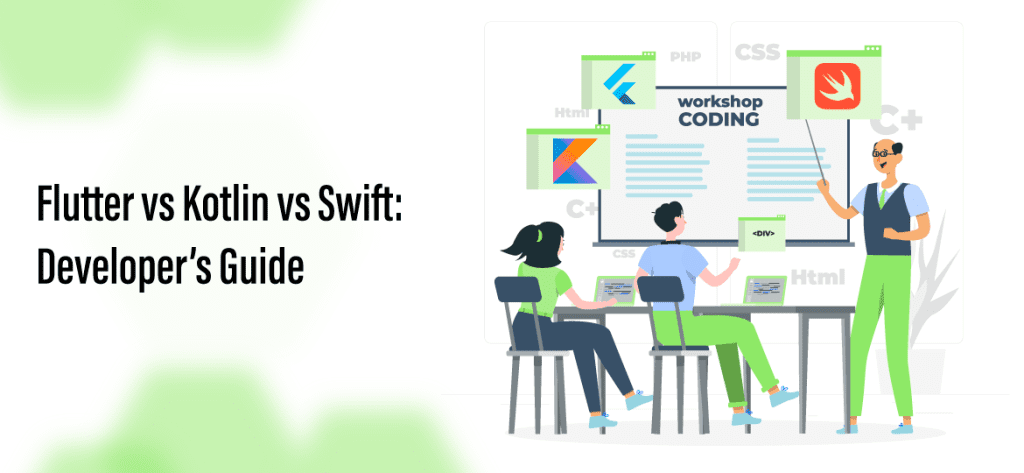
If you are deciding what to build your next app on, the choice usually narrows to three names: Flutter, Kotlin, and Swift. They are not interchangeable, and the difference matters to your budget, your timeline, and your hiring plan. Flutter is a cross-platform framework: one codebase that ships to both iOS and Android. Kotlin is the primary language for Android-native development, and through Kotlin Multiplatform (KMP) it can also share business logic across platforms. Swift is the language for iOS-native development, and the default choice for anything deep in the Apple ecosystem. This is not a religious war between fan camps. It is a practical decision about coverage, performance, cost, and the talent you can realistically hire. This guide compares flutter vs kotlin vs swift the way a business should evaluate them, gives you a quick verdict, and then walks through when to pick each by use case. We build and staff all three at EchoInnovate IT, so the recommendations here reflect what actually ships, not what looks good in a benchmark. For a scoped estimate on your specific project, our mobile app development team can size it after a short call.
In this article
- Quick verdict: which to choose in 2026
- The three options explained
- Flutter vs Kotlin vs Swift: side-by-side comparison
- Flutter vs Swift: cross-platform vs iOS native
- Kotlin vs Swift: the native-versus-native question
- When to pick each by use case
- Cost and hiring implications
- How EchoInnovate IT builds and staffs any of the three
- Frequently Asked Questions
Quick verdict: which to choose in 2026
Here is the short answer before the detail. If you need both iOS and Android, you have a limited budget, and your app is UI-heavy without unusual hardware demands, choose Flutter. One codebase, one team, and a faster path to a launch that covers both platforms. If your product lives mostly on Android, or you want to share business logic across platforms while keeping native user interfaces, choose Kotlin, optionally with Kotlin Multiplatform. If your product is iOS-first, leans on Apple hardware and frameworks like ARKit, HealthKit, or the newest widgets, or targets an audience that skews Apple, choose Swift. Most real decisions come down to one trade: the reach and cost efficiency of cross-platform versus the depth and platform fidelity of native. The choice of cross platform vs native app is rarely about which is technically better in the abstract; it is about which fits your users, your roadmap, and your team. A helpful test: if you cannot name a specific native capability your app depends on, cross-platform will usually serve you well. If you can name several, native earns its higher cost. Many teams also blend approaches, shipping a Flutter app first to validate demand, then rebuilding a native module where performance or platform integration demands it. If you want a second opinion tied to your requirements rather than a generic rule, our mobile app development practice reviews the trade-offs against your actual feature list and gives a transparent quote after a short scoping call.
The three options explained
It helps to be precise about what each of these actually is, because they sit at different layers of the stack. Flutter is a UI framework from Google, written in the Dart language, that renders its own widgets to a canvas rather than using each platform’s native controls. That is why a Flutter app looks and behaves the same on iOS and Android from a single codebase, and why it can also target web and desktop. Kotlin is a modern, statically typed programming language that is the official first-class language for Android development, backed by Google and JetBrains. Kotlin apps use Android’s native SDK and controls directly. Kotlin Multiplatform (KMP) extends the language so you can share business logic, networking, and data code across Android and iOS while keeping each platform’s native user interface. Swift is Apple’s language for building iOS, iPadOS, macOS, watchOS, and visionOS apps, paired with the SwiftUI and UIKit frameworks. It gives you the deepest access to Apple hardware and the earliest support for new Apple features. The key mental model: Flutter is cross-platform by design, Kotlin is Android-native (with an optional shared-logic path), and Swift is iOS-native. When people ask about flutter vs swift they are usually comparing one-codebase reach against iOS depth; when they ask about kotlin vs swift they are comparing the two native worlds directly. Framing the decision this way keeps the conversation on business outcomes rather than syntax preferences. If you are also weighing other cross-platform stacks, our guide comparing React Native vs Flutter covers that adjacent choice, and our React Native app development page explains where that stack fits.
Flutter vs Kotlin vs Swift: side-by-side comparison
The table below summarizes the practical differences that shape a build decision. Read it as a starting point, not a verdict, because the right choice depends on which row matters most to your product. A consumer app with a tight budget will weight platform coverage and development cost heavily. A fintech or health app that depends on device sensors and the newest OS features will weight performance and platform fidelity. A team that already employs Android engineers will weight the talent pool.
Use the table to identify your top two rows, then let those drive the decision. In our experience the biggest predictor is whether you can name a specific native capability the app must have; if you cannot, coverage and cost usually win.
| Factor | Flutter (cross-platform) | Kotlin (Android-native / KMP) | Swift (iOS-native) |
|---|---|---|---|
| Platform coverage | iOS, Android, web, desktop from one codebase | Android-native; KMP shares logic with iOS | Apple platforms only (iOS, iPadOS, macOS, watchOS) |
| Performance | Strong for most apps; extra work for heavy graphics or sensors | Native Android performance and hardware access | Native iOS performance; earliest access to new Apple APIs |
| Dev speed / cost | Lowest for two platforms; one team, one build | Moderate; higher if you also need a separate iOS build | Higher when paired with a separate Android build |
| Talent pool | Large and growing; Dart is quick to learn | Large Android talent base worldwide | Specialized; strong but smaller and often costlier |
| Best fit | MVPs, budget-conscious dual-platform apps, UI-driven products | Android-first products; shared-logic multiplatform | iOS-first products, hardware-deep and Apple-ecosystem apps |
Flutter vs Swift: cross-platform vs iOS native
The flutter vs swift comparison is the clearest way to see the cross platform vs native app trade-off, because Flutter represents the one-codebase philosophy and Swift represents pure native depth. Choose Flutter when you need to reach both iOS and Android and you want to fund a single team rather than two. You write the app once in Dart, and Flutter renders a consistent interface on both stores. That means one backlog, one release process, and roughly one build cost instead of two, which is why budget-conscious founders and companies validating a new idea lean toward it. Flutter is well suited to content, commerce, booking, dashboard, and social apps where the interface is the product and the hardware demands are ordinary. Choose Swift when the app is iOS-first and its value depends on going deep into Apple’s platform. If you rely on ARKit for augmented reality, HealthKit for medical data, the Secure Enclave, advanced camera pipelines, Apple Watch complications, Live Activities, or same-day support for a new iOS release, native Swift gives you the earliest and cleanest access. Swift also tends to feel most at home to users who expect precise Apple conventions and the smoothest possible motion. The honest trade-off: Flutter saves money and time across two platforms but adds work when you need unusual native integrations, while Swift delivers the deepest iOS experience but leaves Android as a separate project. Many products start on Flutter to prove demand and add a native module later where it earns its cost. If you are validating an idea and want to move quickly, our MVP for startups program is built around exactly this kind of fast, focused first release.
Kotlin vs Swift: the native-versus-native question
When the comparison is kotlin vs swift, you are no longer debating cross-platform versus native; you are choosing between the two native worlds, or deciding to do both. Kotlin is the language of Android-native development. If your users skew Android, if your growth markets are regions where Android dominates, or if you need direct, reliable access to Android hardware and background services, Kotlin is the natural home. It is expressive, safe, and fully backed by Google as the preferred Android language, with a large global talent pool that keeps hiring and costs reasonable. Swift is the language of iOS-native development, giving you the deepest Apple integration and the earliest access to new Apple frameworks. If your audience skews iPhone, or your revenue concentrates in markets and segments where iOS spending is higher, Swift is the natural home. The complication is that most consumer products eventually want both platforms, and building fully native on each means two codebases, two teams, and two sets of costs. This is where Kotlin Multiplatform (KMP) changes the math: you can share business logic, networking, validation, and data models across Android and iOS while still writing native user interfaces in Kotlin and Swift. KMP is a middle path for teams that want native fidelity on each platform without duplicating the non-UI code. The decision usually comes down to your audience split and whether native depth on both stores is worth the added cost, or whether shared logic through KMP or a cross-platform framework is the smarter allocation. A vendor that staffs all three, like our software development company, can model each option against your roadmap rather than pushing whichever stack it happens to know.
When to pick each by use case
Rules of thumb are more useful than absolutes, so here is how we guide clients by scenario. Pick Flutter when you are building an MVP, when your budget must cover both iOS and Android without doubling headcount, and when your app is primarily screens, forms, lists, and media rather than deep hardware work. Startups validating a market, internal business tools, and content or commerce apps are strong Flutter candidates because speed and coverage matter more than squeezing out the last percentage of native performance. Pick Kotlin when your product is Android-first, when your growth markets are Android-heavy, or when you want native Android quality and plan to share business logic across platforms through Kotlin Multiplatform. Enterprises with existing Android teams and apps that lean on background services, device integrations, or Google’s ecosystem fit here. Pick Swift when your product is iOS-first, when the experience depends on Apple hardware or the newest Apple features, or when your audience and revenue concentrate on iPhone and iPad. Health, finance, media-creation, and premium consumer apps that need same-day OS support and precise Apple conventions justify native Swift. There is also a common hybrid: launch cross-platform to reach both stores quickly, then rebuild the one or two modules that need native performance later. The decision hinges on the cross platform vs native app trade-off applied to your specific features, users, and budget rather than to a general benchmark. If most of your users and revenue come from one platform, native for that platform plus a lighter presence on the other is often smarter than forcing perfect parity everywhere. When you want that mapped to a concrete plan and estimate, our mobile app development team turns the requirements into a scoped recommendation.
Cost and hiring implications
Technology choice is a hiring and budget decision as much as an engineering one, and this is where the flutter vs kotlin vs swift question gets real. Flutter usually has the lowest total cost when you need both platforms, because one team maintains one codebase and one release pipeline. You fund a single backlog instead of two, which can meaningfully reduce both build and maintenance spend. Kotlin sits in the middle: a native Android build is efficient on its own, but covering iOS as well means either a second native team or a shared-logic approach through KMP, which adds architecture work up front. Swift, on its own, is efficient for iOS, but pairing it with a separate Android build is typically the most expensive path because you are staffing and maintaining two specialized native teams. Talent availability follows a similar pattern. Android and Kotlin developers are plentiful worldwide, Flutter and Dart talent has grown quickly and is accessible, and senior iOS Swift engineers are strong but comparatively scarce and often command higher rates, especially in North America and Western Europe. This is why many companies build through an offshore or nearshore partner to access all three skill sets at predictable cost. As a general market reference, small apps often land in the low tens of thousands, mid-market apps in the mid five to low six figures, and complex multi-platform products higher, but ranges vary widely by scope, integrations, and design. We do not publish fixed prices because honest numbers require understanding your requirements; we give a transparent quote after a short scoping call. For deeper cost breakdowns see our mobile app development cost guide, and if hiring is the bottleneck, our guide to hiring offshore developers explains how to staff any of these stacks without building an in-house team from scratch.
Going fully native on iOS? Go deeper with Swift vs Objective-C.
Building for the web as well? Read Angular vs React.
Chose Flutter for your MVP? Next, see Flutter app development for startups.
How EchoInnovate IT builds and staffs any of the three
We are an India-based custom software development shop, and after twelve years and more than five hundred products shipped, most of them under our clients’ own brands, we have built production apps in Flutter, Kotlin, and Swift many times over. That matters for a decision like this because we are not tied to a single stack we happen to know; we recommend the one that fits your users, roadmap, and budget, then staff it from a team of fifty-plus employees. Our engagement usually starts with a short scoping call to understand your platform split, feature list, hardware requirements, and timeline. From there we propose an architecture, whether that is a Flutter codebase for fast dual-platform coverage, native Kotlin for an Android-first product, native Swift for an iOS-first product, or a Kotlin Multiplatform arrangement that shares logic while keeping native interfaces. We assemble the team accordingly, whether you need a single senior engineer to extend your in-house group or a full squad with design, QA, and project management. Clients who want a dedicated, long-running team often set one up through our offshore development center, which gives them their own engineers at predictable cost without the overhead of local hiring. Because so much of our work ships under client brands, we are comfortable operating quietly as the engineering behind your product. Our reputation reflects that approach: we hold a 5.0 rating on Clutch across six verified reviews. Whether you have already chosen a stack or want help deciding, our mobile app development team can plan the build and staff it end to end.

Start with a 2-week pilot sprint
Not sure whether Flutter, Kotlin, or Swift is right for your app? Start with our $1,500 fixed-price 2-week pilot sprint: we scope your requirements, recommend the stack that fits your users and budget, and deliver a working proof of concept you own outright, with no long-term commitment. It is the fastest way to de-risk the decision before you invest in a full build. See what is included and book your sprint on our mobile app development page, and we will follow up with a transparent quote for the full project after the call.
See the service →Book a scoping call →Frequently Asked Questions
Flutter, Kotlin, or Swift — which should I choose in 2026?
Choose Flutter if you need both iOS and Android on a limited budget and your app is mostly UI-driven, because one codebase covers both stores. Choose Kotlin if your product is Android-first or you want to share business logic across platforms through Kotlin Multiplatform. Choose Swift if your product is iOS-first and depends on Apple hardware or the newest Apple features. The deciding question is usually whether you can name a specific native capability the app must have; if you cannot, cross-platform Flutter tends to win on cost and speed. If you can name several, native earns its higher price.
Is Flutter good enough, or do I need native Swift or Kotlin?
For most content, commerce, booking, dashboard, and social apps, Flutter is more than good enough and ships to both platforms from one codebase. You need native Swift or Kotlin when the app depends on deep hardware access, advanced graphics or sensors, background services, or same-day support for new OS features. A common pattern is to launch on Flutter to validate demand and rebuild a specific module natively later if performance or platform integration requires it. The decision should follow your feature list, not a general benchmark.
Which is cheaper to build and maintain?
For a two-platform app, Flutter is usually the cheapest because a single team maintains one codebase and one release pipeline. Kotlin is efficient for Android on its own but adds cost if you also need iOS, unless you use Kotlin Multiplatform to share logic. Swift is efficient for iOS on its own but is typically the most expensive path when paired with a separate Android build, since you staff two specialized native teams. We do not publish fixed prices; we give a transparent quote after a short scoping call because honest numbers depend on your scope.
What is the difference between cross-platform and native for my app?
Cross-platform, such as Flutter, means one codebase serves multiple platforms, which lowers cost and speeds delivery but can add work for unusual native integrations. Native, such as Kotlin for Android or Swift for iOS, means platform-specific code that gives the deepest hardware access, best performance, and earliest support for new OS features, at higher total cost when you need both stores. The cross platform vs native app choice comes down to how many specific native capabilities your app truly depends on and how your users and revenue split across platforms.
Can EchoInnovate IT build in all three, and how do you staff a project?
Yes. We have shipped production apps in Flutter, Kotlin, and Swift across more than five hundred products in twelve years, most of them under clients’ own brands. We start with a short scoping call, recommend the stack that fits your users and budget rather than one we prefer, then assemble the team from our fifty-plus employees, whether that is a single engineer to extend your team or a full squad. Many clients set up a dedicated long-running team through our offshore development center. We hold a 5.0 rating on Clutch across six verified reviews.
Written by Kush P, Chief Technology Officer at EchoInnovate IT. Kush has led custom software and dedicated-team builds for 12 years, with 500+ products shipped — most of them under clients’ own brands.